Signs an Online Seller's Product Photos Are AI-Generated
AI-generated product photos are flooding online marketplaces. Seven signs a listing photo is fake, plus how to check with a detection tool before you buy.

Fake product listings cost U.S. consumers more than $2.7 billion in 2023, according to the FTC's latest fraud data [1]. A growing share of those scams now use AI-generated product images that never corresponded to a real item. The photos look professional, the prices look reasonable, and the product never arrives. Knowing what to look for before you buy is the cheapest protection available.
The Problem Is Getting Worse Fast
Generative AI has collapsed the cost of creating convincing product photos to zero. A scammer no longer needs to steal images from a legitimate retailer or photograph a knockoff. Tools like Midjourney, DALL-E, and Stable Diffusion can produce studio-quality product shots in seconds, complete with lifestyle backgrounds, human models, and realistic packaging.
The Better Business Bureau's 2024 Scam Tracker report found that online purchase scams were the riskiest type of fraud by exposure, with 40% of people who encountered one losing money [2]. Fake imagery is the engine behind many of these listings. If the photo looks real, you trust the seller. That trust is now trivially easy to manufacture.
The economics are simple: one AI prompt generates dozens of product angles. One real product photo requires an actual product.
Seven Signs the Product Photo Is AI-Generated
Not every sign below means fraud on its own. But when two or more appear together on a listing from an unfamiliar seller, slow down.
1. Text on the Product Is Garbled or Nonsensical
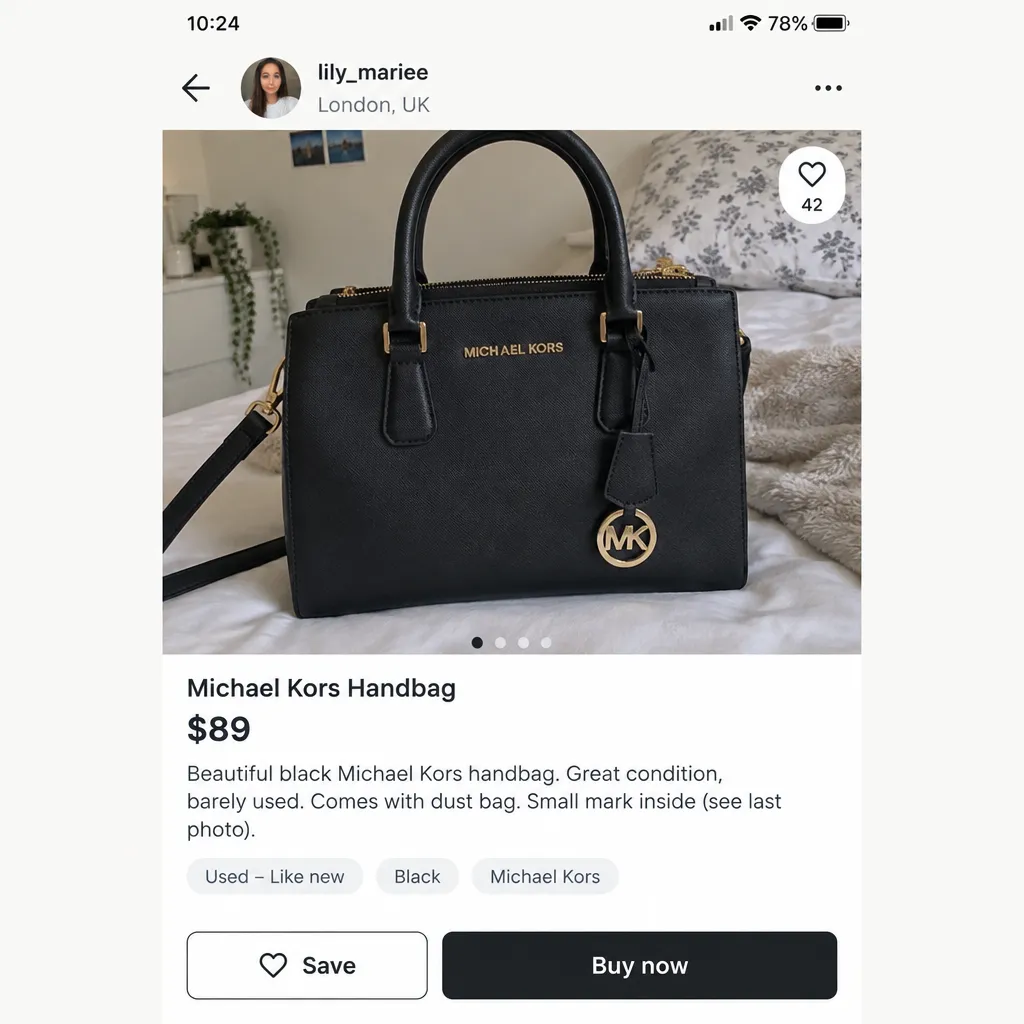
This remains one of AI's most reliable tells. Look at labels, tags, logos, and packaging text. Generative models still struggle with coherent lettering. You might see:
- Brand names with swapped or extra characters
- Nutrition labels or spec sheets that dissolve into squiggles on close inspection
- Text that looks correct at thumbnail size but falls apart when you zoom in
If a handbag's logo reads "CUCCI" or a supplement's label blurs into meaningless shapes, the image was likely generated rather than photographed.
2. Impossible Consistency Across Variants
Legitimate sellers photograph each color variant or size separately. AI-generated listings often show multiple color options that are suspiciously identical in every other way: same wrinkles in the fabric, same shadow angles, same background. The only thing that changes is the hue.
Real fabric drapes differently on different-colored garments because dye lots, materials, and lighting interact. If five color options look like someone shifted a slider in Photoshop, be skeptical.
3. Backgrounds That Don't Match the Product Category
AI-generated lifestyle shots sometimes place products in settings that make no sense for the price point or seller. A $15 watch sitting on a marble countertop in what appears to be a Milanese penthouse. A budget phone case photographed in a studio setup that would cost more than the product.
Ask yourself: would a small, unknown seller invest in this level of photography for a $12 item?
4. Missing or Inconsistent Reflections
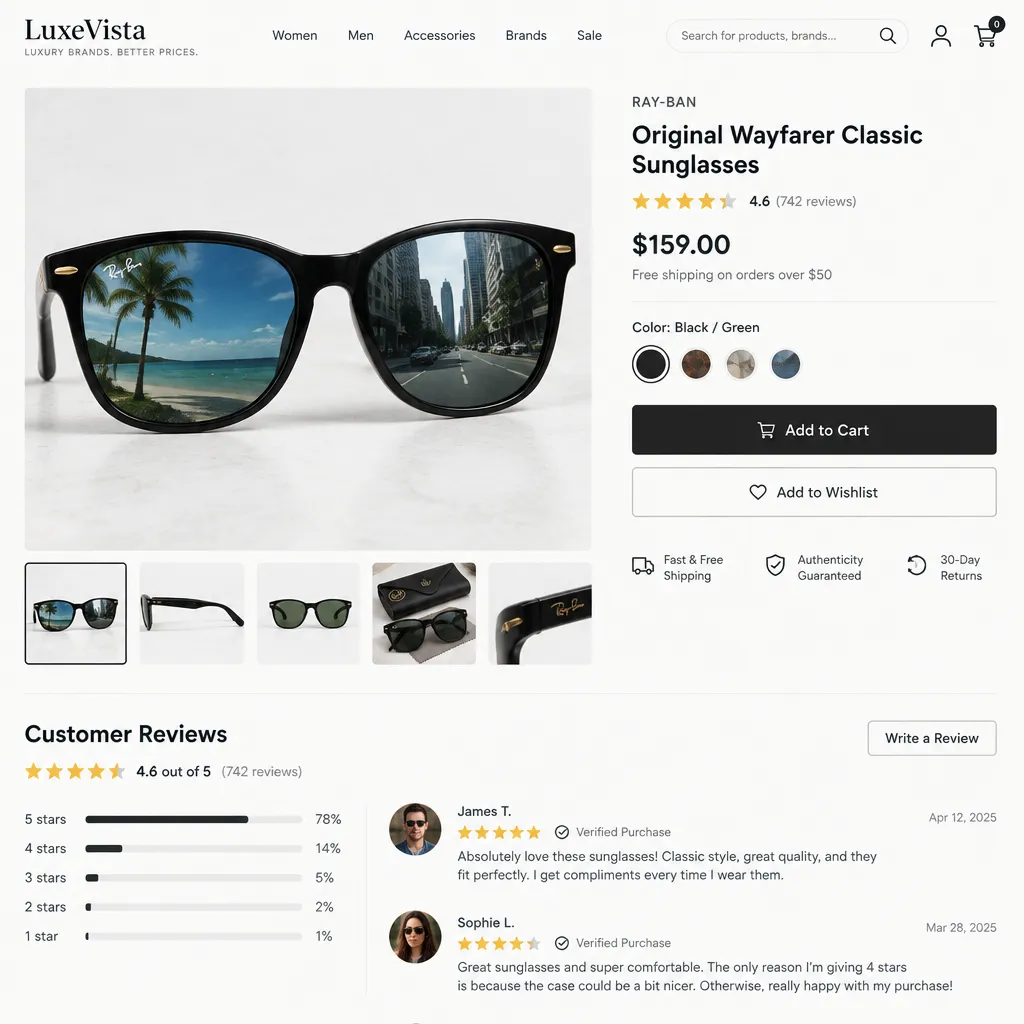
Reflective surfaces expose AI-generated images frequently. Look at:
- Sunglasses that don't reflect a coherent environment
- Jewelry with reflections that show objects not present in the scene
- Glossy product surfaces where the light source direction changes between shots
Real reflections obey physics. AI-generated ones often don't.
5. Hands and Fingers Holding the Product Look Wrong
When a generated image includes a hand holding the product, count the fingers. Check where they bend. AI has improved dramatically at hands, but errors still appear: a sixth finger, a thumb that bends backward, fingernails with inconsistent shapes.
6. No Reverse Image Search Results
A legitimate product photo usually appears on the brand's own website, other retail platforms, or review sites. Run a reverse image search (Google Images, TinEye) on the listing photo. If the image appears nowhere else on the internet, it was either freshly taken or freshly generated.
A brand-new, professional-quality photo that exists only on a single obscure marketplace listing is a red flag.
7. Metadata Is Stripped or Absent
This one takes an extra step. Download the image and check its EXIF data using a free tool. Real product photos typically contain camera model, focal length, and date information. AI-generated images contain none of this, or they contain metadata from the generation tool itself.
No metadata doesn't automatically mean fake. Many platforms strip EXIF data on upload. But combined with other signs on this list, it adds weight.
Red Flags Beyond the Photo Itself
A suspicious image should prompt you to examine the rest of the listing.
- Seller account age. Created in the last 30 days? Higher risk.
- Review patterns. All five-star reviews posted within a narrow window, using similar phrasing, suggest purchased reviews.
- Pricing. If the deal seems impossibly good, the product may be impossible too. The FTC notes that too-good-to-be-true pricing is one of the most common lures in online purchase scams [1].
- No returns or vague policies. Legitimate sellers generally offer clear return windows. Scam listings bury or omit this information.
- Payment method. Requests for cryptocurrency, wire transfers, or gift cards are established fraud indicators per the FBI's IC3 [3].
Where These Fakes Show Up Most
Not all platforms carry equal risk.
A 2024 report from the Anti-Phishing Working Group found that e-commerce and retail were the most frequently targeted sectors for phishing and fraudulent sites, accounting for nearly 20% of all phishing attacks [4]. Many of these sites feature AI-generated product catalogs that mimic legitimate brands.
A Quick Verification Checklist
Before you buy from an unfamiliar seller, run through this:
- Zoom in on all product text. Is lettering coherent and correctly spelled?
- Check hands and fingers in any lifestyle shots.
- Reverse image search at least one listing photo.
- Look at reflections on glossy or metallic surfaces.
- Compare color variants. Are they too perfectly identical?
- Check the seller's history. How old is the account? What do reviews look like?
- Scan the image with an AI detector. Visual checks catch some fakes, but the best generators produce images that look perfect to the eye. An AI detection tool analyzes signals you cannot see.
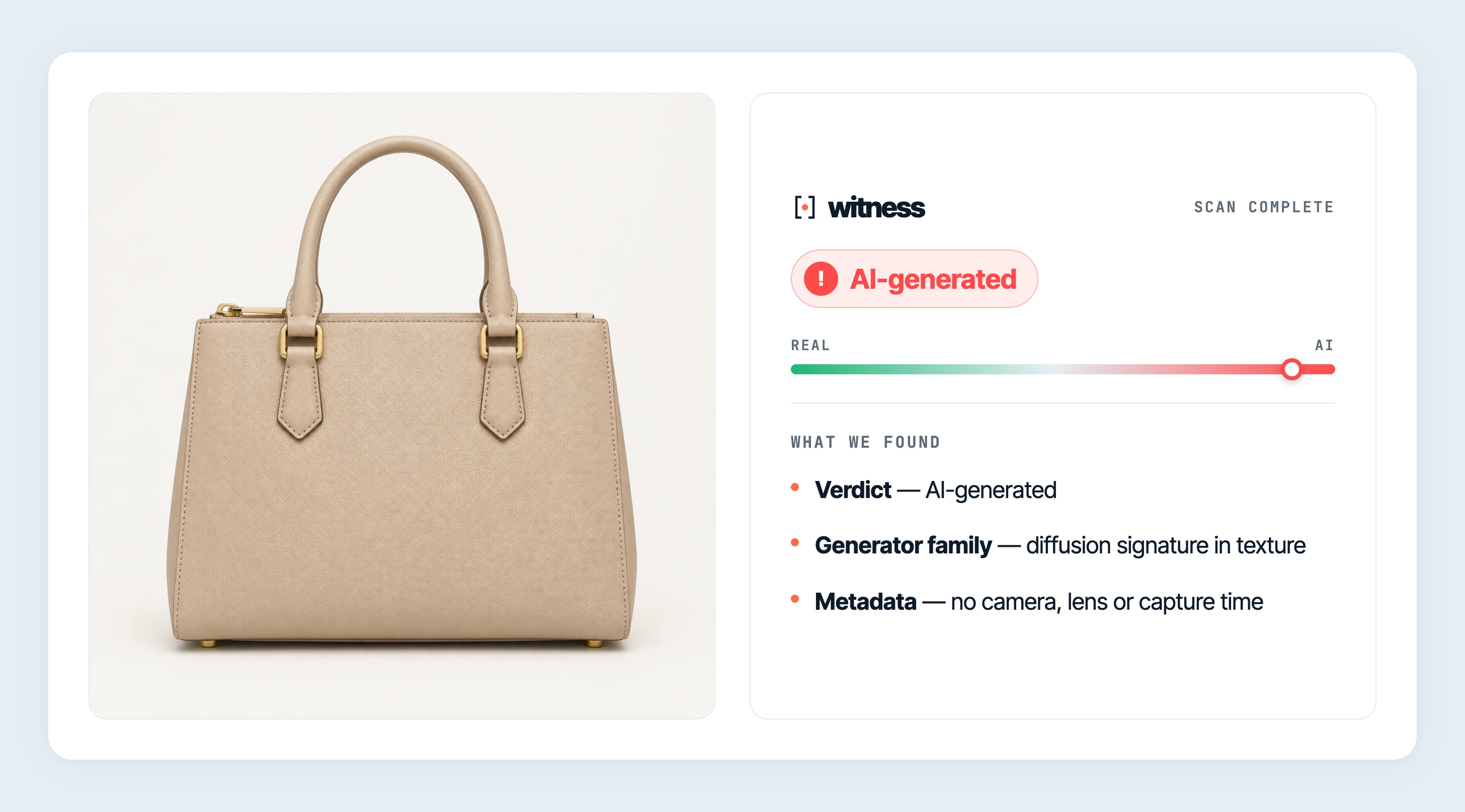
Save or screenshot the product photo, then upload it to Witness. You get a verdict (Real, Synthetic, or Uncertain) with a confidence score in seconds. Free, no account required. If the Chrome extension is installed, you can also right-click the image directly on the listing page.
What to Do If You Suspect a Fake Listing
- Don't buy. This sounds obvious, but urgency tactics ("only 2 left!") push people past their skepticism.
- Report it. Every major platform has a reporting mechanism for fraudulent listings. Use it. Reports help platforms train their own detection systems.
- Warn others. If the listing has a comments section or Q&A, flag your concerns there.
- File a complaint. The FTC accepts reports at ReportFraud.ftc.gov [1]. The FBI's IC3 accepts internet crime complaints at ic3.gov [3].
If you already made a purchase and suspect fraud, contact your payment provider immediately. Credit card chargebacks and PayPal disputes have time limits, so act fast.
The Bigger Picture
AI-generated product images are not inherently malicious. Legitimate brands are beginning to use AI for catalog photography to reduce costs. The issue is when synthetic images are used to sell products that don't exist, misrepresent quality, or lure buyers to phishing sites.
The distinction matters: a real company using AI photos of a real product is a photography choice. A scammer using AI photos of a nonexistent product is fraud. The signs above help you tell the difference.
As generative tools improve, visual detection will get harder. Text errors will become less common. Hands will look more natural. That makes automated detection tools increasingly important as a second layer of defense beyond what your eyes can catch.
When a deal looks perfect and the photos look flawless, that perfection itself is worth questioning. Run the images through witness.vision/scan before you run your credit card.
- [1]Federal Trade Commission, "New FTC Data Show Consumers Reported Losing More Than $10 Billion to Fraud in 2023," https://www.ftc.gov/news-events/news/press-releases/2024/02/new-ftc-data-show-consumers-reported-losing-more-10-billion-fraud-2023
- [2]Better Business Bureau, "BBB Scam Tracker Annual Risk Report 2024," https://www.bbb.org/scamtracker
- [3]FBI Internet Crime Complaint Center, "2023 Internet Crime Report," https://www.ic3.gov/AnnualReport
- [4]Anti-Phishing Working Group, "Phishing Activity Trends Report, Q4 2023," https://apwg.org/trendsreports/