Deepfake Detection for Insurance Claims: Tools, Workflow and Buyer's Guide
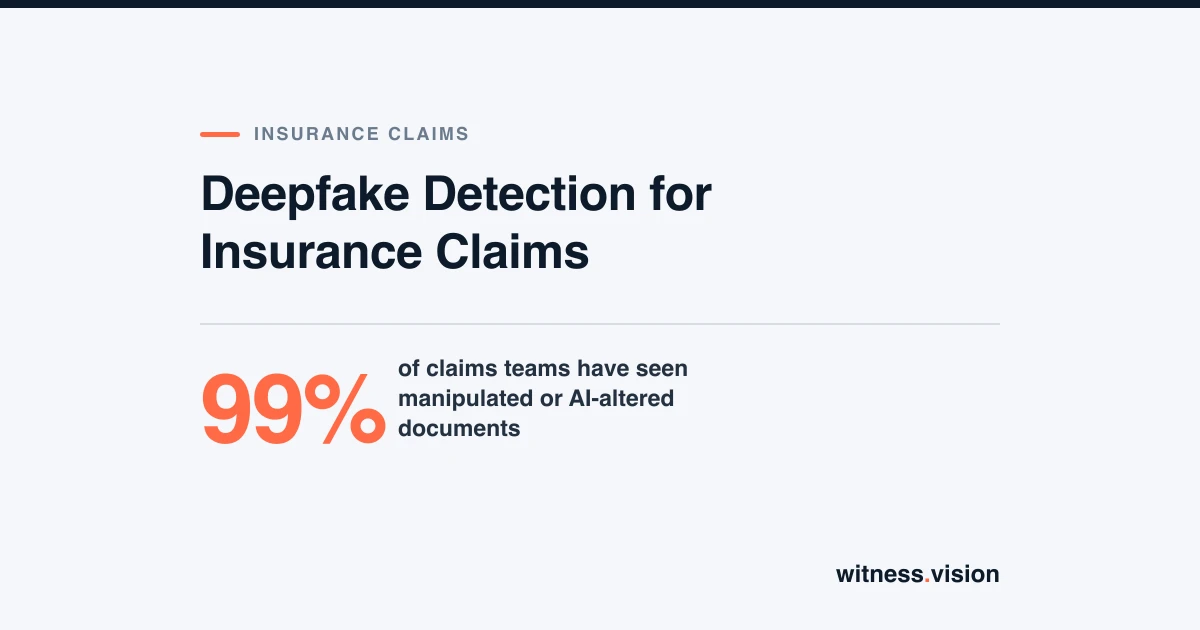
99% of claims teams have seen manipulated or AI-altered documents. Where deepfake detection fits in a claims workflow, why most alerts are false alarms, and how to choose and test a tool.
A claim photo used to be a fair stand-in for the loss itself. That assumption no longer holds. With a phone and a free app, anyone can add a dent to a bumper, spread a water stain across a ceiling, or generate a car that never left the driveway.
Deepfake detection tools answer one narrow question: does this file show signs of being generated or manipulated? They do not tell you whether a loss happened, whether it is covered, or whether to pay. This guide covers where detection belongs in a claims workflow, how to handle each result, and how to choose and test a tool. It is written for claims leaders, SIU managers and procurement teams.
Key Takeaways
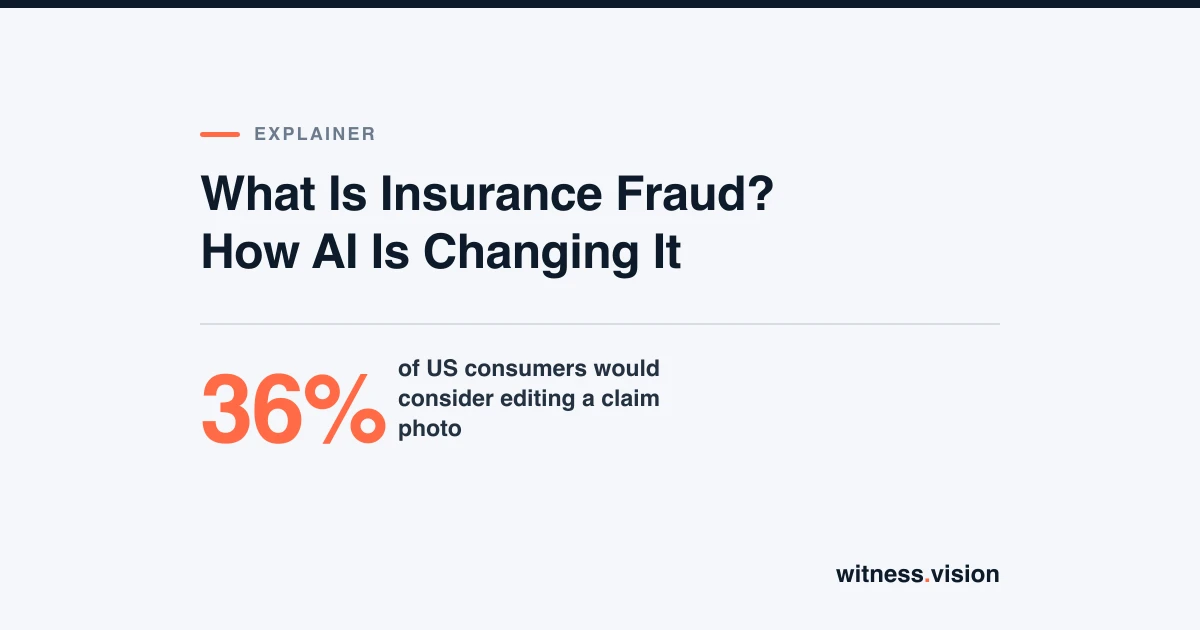
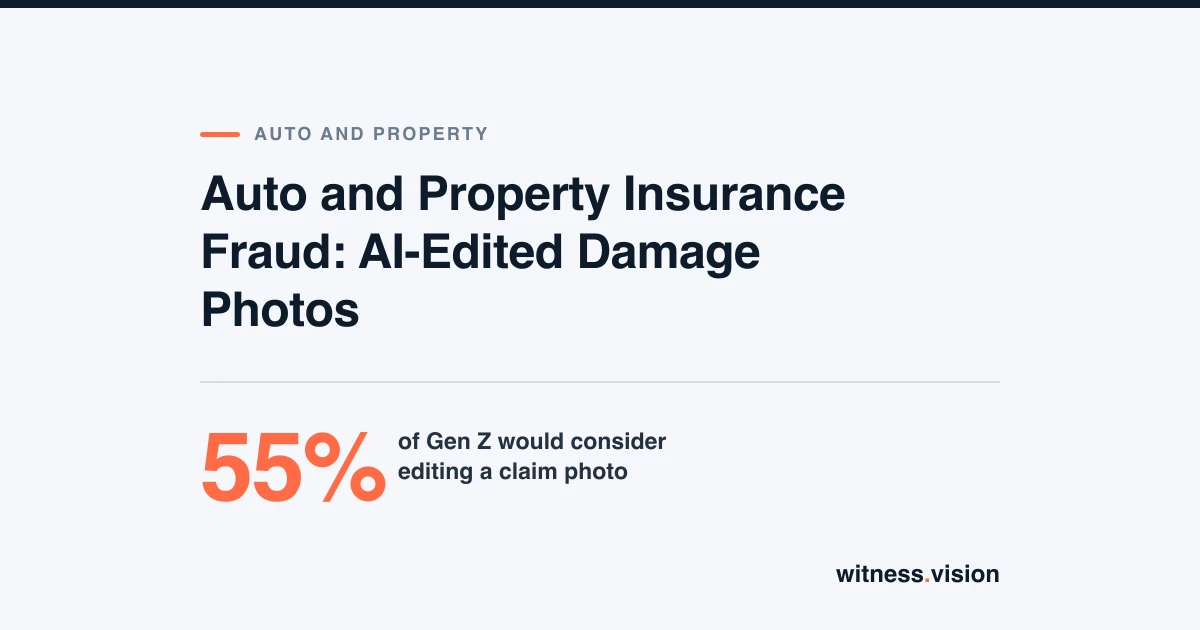
- 99% of US claims professionals have encountered manipulated or AI-altered claim documents. 36% of US consumers would consider altering a claim photo, and 55% of Gen Z would.[1]
- Detector accuracy drops sharply on real-world media: an independent benchmark found a 45% to 50% fall versus older lab benchmarks.[2] Test every vendor blind on your own claim files.
- Check media at intake, before straight-through processing, and keep three outcomes: no indicators, indicators found and inconclusive.
- At real fraud rates, most alerts are false alarms. A flag should trigger verification, never an automatic denial.
Why Claims Teams Need This Now
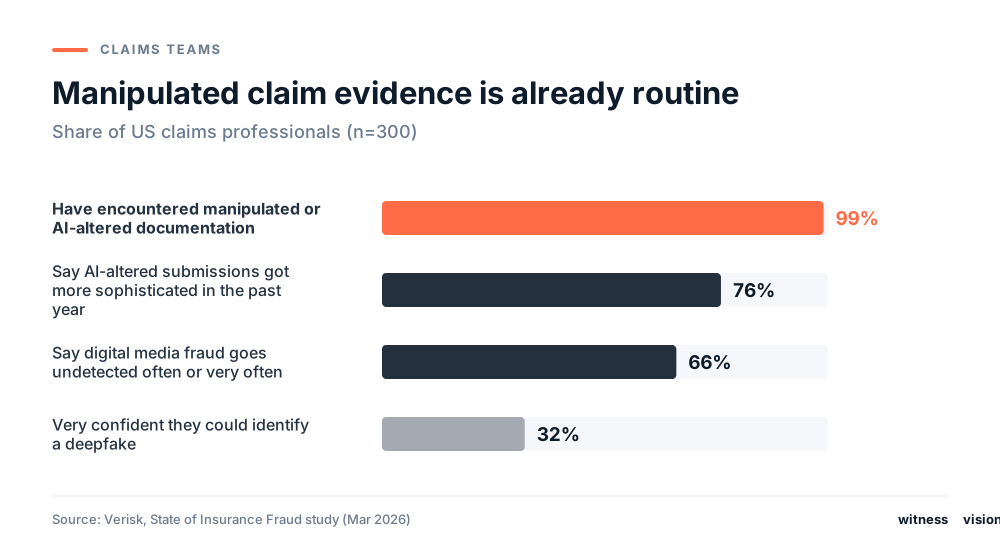
Verisk's 2026 study of 300 US claims professionals shows manipulated evidence is no longer an edge case. Nearly all have seen it, three in four say it is getting more sophisticated, and two in three say digital media fraud goes undetected often or very often. Yet only 32% feel very confident they could identify a deepfake.[1]
What Detection Can and Cannot Tell You
Deepfakes are files created or heavily altered with generative AI. Shallowfakes are simple edits that need no AI: cropping, changing a timestamp, or reusing an old photo. Both appear in claims, and not every edited file is fraud.
A clean result does not clear a claim. A flag does not prove intent.
Which Lines Are Most Exposed
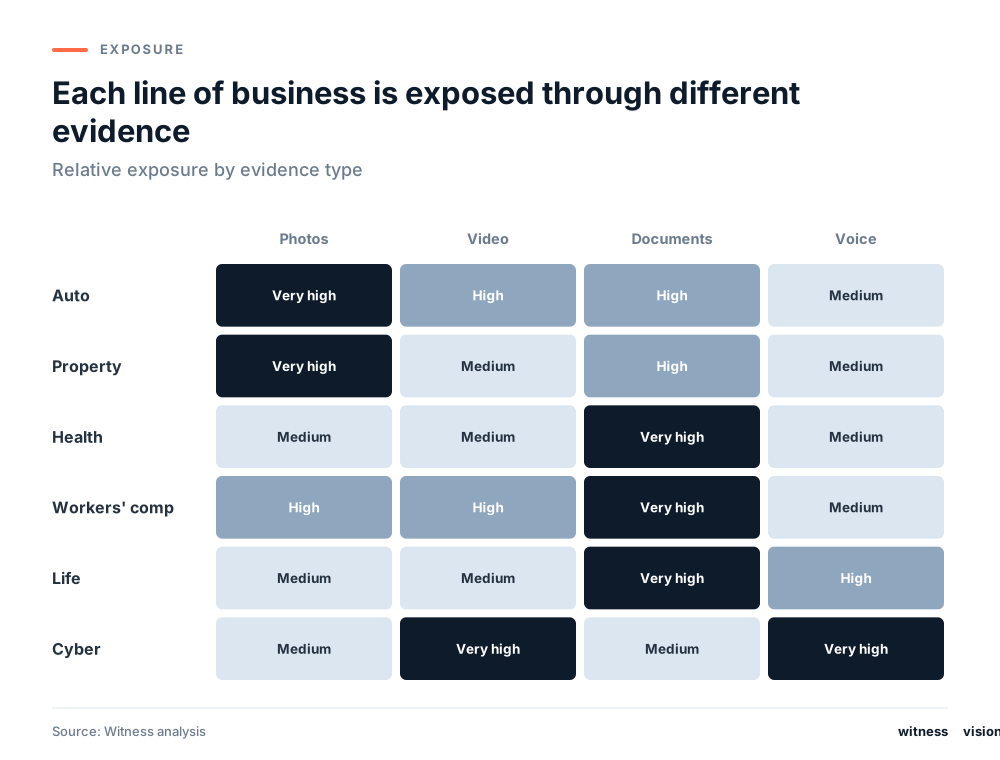
- Auto and property live on photos: added or exaggerated damage, reused images from other events.
- Health, workers' comp and life live on documents: fabricated records, bills and death certificates.
- Cyber claims increasingly involve cloned executive voices and fake video calls. In 2024, an Arup employee in Hong Kong sent about US$25.6 million after a call in which every other participant was a deepfake.[3]
Where Detection Fits in the Claims Workflow
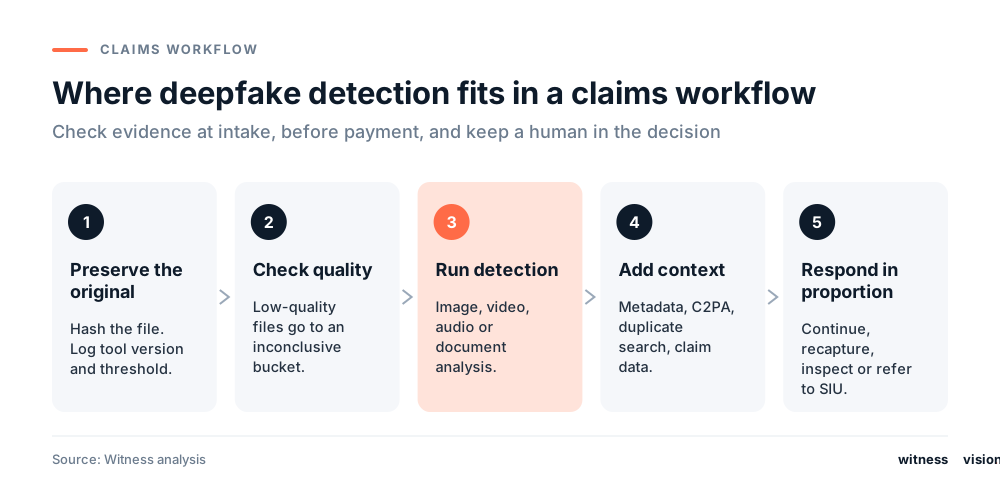
1. Preserve the original
Store the file exactly as submitted and hash it. Log which tool version and threshold produced the result, so you can show what was analyzed if the claim is disputed.
2. Check quality first
Heavy compression, low resolution and screenshots of screenshots reduce what any detector can see. Send those files to an inconclusive path instead of forcing a yes or no.
3. Run the right analysis
Images, video, audio and document images each need their own analysis. Running an image model on a PDF checks the pictures inside it. It does not validate the document.
4. Add context
Read the metadata, check for C2PA Content Credentials, and run perceptual hashing and reverse image search to catch reused photos. Then compare against the claim: does the damage match the estimate, and does the timing fit the policy?
5. Respond in proportion
Most flagged claims come from honest people whose photo was compressed by a messaging app. Give them a quick, non-accusatory way to resolve it.
Why Most Alerts Will Be False Alarms

Vendors usually quote accuracy on balanced test sets, where half the files are fake. Claims are nothing like that. Take 100,000 claim photos where 1 in 200 is manipulated, and a detector that catches 90% of fakes with a 1% false-positive rate. It flags 450 of the 500 fakes and 995 of the 99,500 genuine photos. Only about 31% of alerts are real. The numbers are illustrative, but the lesson holds: plan reviewer capacity for false alarms.
Detection Is One Layer of the Fraud Stack
Why Lab Accuracy Doesn't Transfer
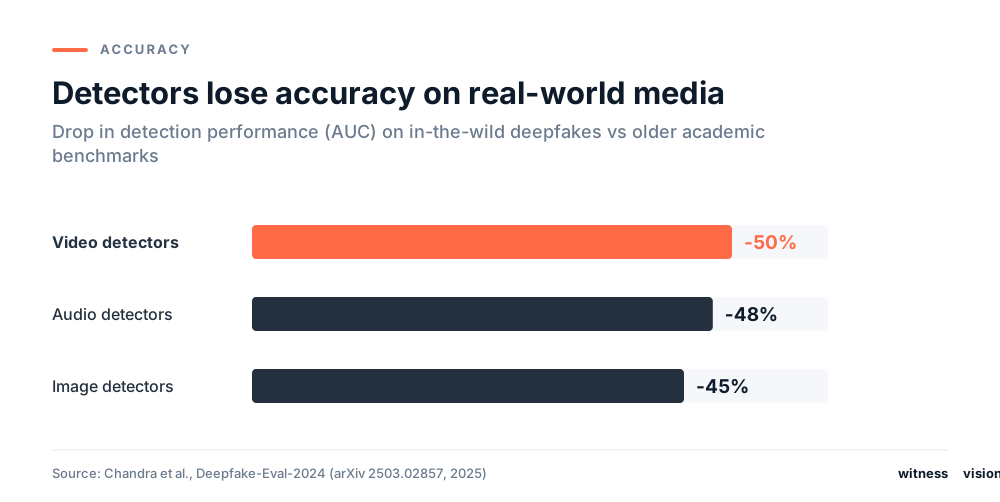
Most published accuracy figures come from curated datasets. Claims media is compressed, resized, screenshotted and forwarded through messaging apps. The Deepfake-Eval-2024 benchmark, built from deepfakes circulating online in 2024, found detector performance fell by about half compared with older academic benchmarks.[2] Any number a vendor quotes should be re-measured on your files.
How to Choose a Deepfake Detection Tool
Capabilities
- Media types covered: images, video, audio, documents
- Detection rate, miss rate and false-positive rate at your threshold, measured on compressed real-world files
- Performance on partial edits, not only fully synthetic files
- Inconclusive rate and speed per file
- Plain-language explanations a reviewer can act on
Operations and legal
- Deployment options and data residency
- Throughput during catastrophe surges
- Pricing model: per scan, tiered or enterprise
- Data retention, deletion and training-use terms
- Evidence export for SIU and litigation
- How model updates are announced and whether they can be rolled back
Questions to ask vendors
- What data was the tool tested on, and does it look like ours?
- How much does accuracy drop after compression and resizing?
- What are the false-positive and false-negative rates at the threshold we would use?
- Can we export a report suitable for SIU and court?
- How often is the model retrained for new generators?
- Has the tool been adversarially tested?
- What contract protections cover our data?
How to Run a Pilot
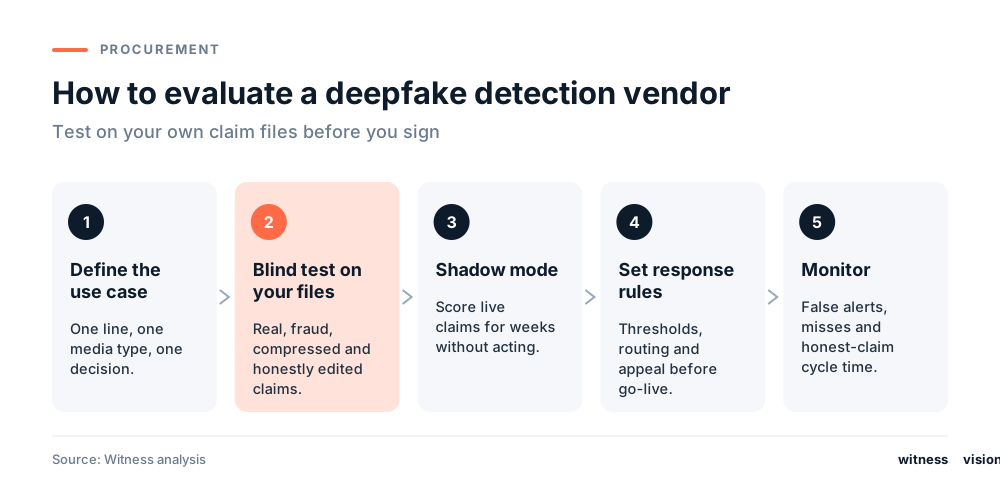
Pick one use case, such as property photos under a set claim value. Build a blind test set from your own files, including confirmed genuine, confirmed fraud, compressed and honestly edited examples. Run in shadow mode for several weeks before acting on results. Once live, track confirmed fraud found, false alerts, reviewer time per alert, investigator agreement and cycle time for honest claims, broken down by line and media type.
Governance and Human Review
In the US, the NAIC Model Bulletin on insurers' use of AI, in force in 24 states plus DC as of April 2026, expects carriers to govern the AI systems they use, including vendor tools.[4] Buying a detector does not move accountability to the vendor. In practice:
- Name an owner, document validation and monitor performance over time.
- Set escalation thresholds and test them for bias across groups.
- Keep forensic findings separate from fraud conclusions. A confidence score is not a fraud probability.
- Give claimants plain-language explanations and a fair appeal.
- Preserve originals and chain of custody so findings hold up in subrogation or court.
Train the People, Too
Many deepfake attacks on insurers target staff, not claims evidence: a cloned voice of a manager approving a payment, or a fake video call from a "policyholder." Pindrop reports synthetic voice attacks on insurers rose 475% in 2024.[5] Role-based training for claims handlers, call-center staff and finance teams closes that gap.
How Witness Fits
Witness checks claim photos and video for signs of AI generation and editing. Each scan returns a clear verdict, Real or AI, with a confidence score and a plain-language explanation. Pro users can export a forensic report for the claim file. It is built to be one layer in the stack above: a signal for adjusters and SIU, not a decision. We recommend running it on a blind set of your own claim files before rolling it out.
Scan a claim photo or see Witness for insurance.
Frequently Asked Questions
What is a deepfake detection tool in insurance?
Software that checks claim photos, video, audio or document images for signs of AI generation or editing. It produces an authenticity signal, not a claim decision.
What are the best deepfake detection tools for insurance claims?
The ones that perform well on your own claim files, explain their results, export evidence cleanly and route alerts to trained reviewers. Run a blind test before choosing.
How accurate are deepfake detectors?
Accuracy only holds under the conditions it was measured. Independent research shows large drops on real-world media, so ask for results on compressed files and partial edits.
Can an insurer deny a claim based only on a deepfake score?
It should not. Use the result to trigger verification such as recapture, inspection or SIU review.
How is deepfake detection different from liveness detection?
Liveness checks whether a real person is present during identity verification. Deepfake detection checks whether a submitted file is authentic.
How do we add detection without slowing honest claims?
Run checks in the background at upload and only add friction when a result is flagged or inconclusive.
Related reading
- What Is Insurance Fraud? How AI Is Changing It
- Auto and Property Insurance Fraud: AI-Edited Damage Photos
- Insurance Fraud Statistics 2026
- [1]Verisk, AI Editing Tools Are Fueling a New Era of Insurance Fraud, State of Insurance Fraud study, March 17, 2026. Surveys of 300 US claims professionals and 1,000 US consumers.
- [2]Chandra et al., Deepfake-Eval-2024: A Multi-Modal In-the-Wild Benchmark of Deepfakes Circulated in 2024, arXiv, 2025.
- [3]CNN, Arup revealed as victim of $25 million deepfake scam involving Hong Kong employee, May 16, 2024.
- [4]NAIC, Implementation map of the Model Bulletin on the Use of AI Systems by Insurers, April 2026.
- [5]Pindrop, 2025 Voice Intelligence & Security Report, June 12, 2025.